Picture a Monday morning at a growing software house in Bahria Town. The CEO joins a client call from her desk, the receptionist buzzes a visitor through after seeing his face on screen, and the project lead checks the parking camera without leaving his chair. One device handles all three jobs: a smart video phone. In 2026, this category has moved from luxury to practical tool for Pakistani offices, and the gap between companies that use them and companies that do not is becoming visible in how professionally they communicate.
The Desk Phone Grew a Screen, and Everything Changed
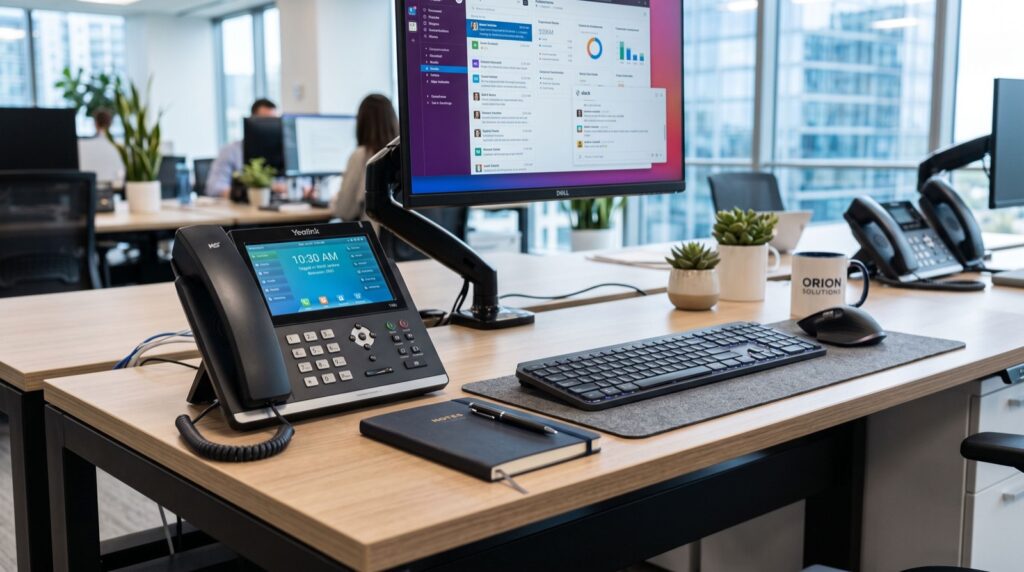
For decades a desk phone did exactly one thing. Then handsets gained colour touchscreens, Android operating systems, cameras and Wi-Fi, and the humble extension turned into a communication hub. A modern smart video phone runs conferencing apps, displays door-entry feeds, and still delivers the rock-solid call handling that a laptop softphone never quite matches.
The timing suits Pakistan well. Hybrid schedules stuck around after the pandemic years, and research firm Gartner has repeatedly found that a majority of knowledge workers now expect flexible arrangements. Teams split between office, home and client sites need a way to meet face to face without booking the one overworked conference room.
5 Ways a Smart Video Phone Upgrades Daily Work
- Meetings start on time. Tapping a calendar entry on the phone screen launches the video call instantly. Nobody hunts for HDMI cables or waits for a laptop to wake up.
- Reception becomes security. Paired with a door intercom, the screen shows exactly who is at the gate before anyone presses the unlock button. Factories and clinics value this more than any other feature.
- Executives read the room. Tone gets lost on audio calls. Seeing a supplier hesitate before agreeing to a delivery date tells a procurement manager more than the words themselves.
- Training scales across branches. A head-office trainer can demonstrate a process on camera to staff in three cities at once, with no travel budget spent.
- One device replaces three. Phone, meeting endpoint and intercom monitor collapse into a single unit on the desk, which simplifies both purchasing and IT support.
Is a Video Phone Worth It for Every Desk?
Honestly, no, and vendors who claim otherwise are overselling. The smart move is tiered deployment. Front-line staff who mostly take orders do fine with standard audio handsets, while decision-makers, reception and meeting spaces gain real value from video.
| Role | Standard IP Handset | Smart Video Phone |
|---|---|---|
| Back-office accounts | Ideal | Overkill |
| Reception and gate control | Limited | Strong fit |
| Managers and directors | Workable | Strong fit |
| Huddle rooms | Audio only | Replaces conference kit |
| Remote team leads | Workable | Strong fit |
A sensible ratio for a fifty-person company is eight to twelve video units, with audio models everywhere else. That keeps the budget rational while putting screens where they earn their keep.
Deploying Video Phones in the Twin Cities
Rawalpindi and Islamabad have quietly become a strong market for advanced telephony because so many call centres, software exporters and government contractors operate there. Local availability matters: firmware updates, warranty swaps and configuration help all go smoother with a nearby supplier. Businesses sourcing Fanvil IP Phones in Rawalpindi get exactly that regional support instead of waiting weeks for a courier from abroad.
At the top of the range, a device such as the Fanvil V67 Flagship Smart Video Phone shows what the category can do: a large adjustable touchscreen, Android app support, Wi-Fi and Bluetooth connectivity, and an integrated camera built for boardroom desks. Put one in front of a director who has struggled with laptop conferencing for years and the purchase justifies itself within a week.
Plan the network before the phones arrive. Video traffic is heavier than voice, so give handsets a dedicated VLAN, enable QoS on the router, and confirm your fibre connection has headroom during peak hours. A quick site survey by your installer prevents ninety percent of quality complaints later.
Budget realistically as well. Expect a flagship video unit to cost several times what a basic audio handset does, then remember you only need a handful of them. Spread across a three-year lifespan, the per-month figure usually lands below what a single wasted client visit costs in fuel and hours.
Pairing the Upgrade With an Office Refresh
Telephony upgrades rarely happen in isolation. Companies usually modernise handsets when renovating, expanding to a new floor, or shifting premises entirely. That overlap is worth exploiting: cabling contractors are already on site, desks are already being repositioned, and downtime is already scheduled.
If a physical move is part of the plan, delegate the packing and transport of existing equipment to reputable service experts so your IT staff can focus on configuring the new system rather than wrapping monitors in bubble wrap. Screens, cameras and touch panels are exactly the kind of gear that dies in a badly packed carton.
Schedule the cutover for a Thursday. That gives you Friday to fix surprises with staff still present, and the weekend as a buffer before the busy start of the week.
Frequently Asked Questions
What internet speed does a video phone need?
A single HD video call uses roughly 1 to 2 Mbps in each direction. A standard fibre connection in Islamabad or Rawalpindi handles several simultaneous calls easily, provided QoS keeps video traffic prioritised over downloads. If your office still runs on DSL, upgrade the line first and the phones second.
Can smart video phones join Zoom or Teams meetings?
Android-based models can run or link with popular conferencing apps, letting the handset act as a meeting endpoint. Check app compatibility for the specific model before buying, as capabilities differ between firmware versions.
Do video phones work with an existing IP PBX?
Yes. They register as ordinary SIP extensions, so calls, transfers and voicemail behave exactly like the rest of your fleet. The video and app features run alongside standard telephony without special server changes.
A Clear-Eyed Conclusion
A smart video phone will not transform a disorganised company by itself, but it removes real friction: slow meeting starts, blind door entry, tone-deaf negotiations and expensive travel for routine training. Deploy them where faces matter, keep audio handsets where they do not, and buy from a supplier who answers the phone when firmware questions arise. Done that way, the upgrade feels less like a gadget purchase and more like hiring a very reliable assistant for every important desk in the building.